Operator Alarm Handbook
Alarm work starts with process context, not the acknowledge button. Site-specific alarm causes, reset conditions, and contacts belong in the local runbook.
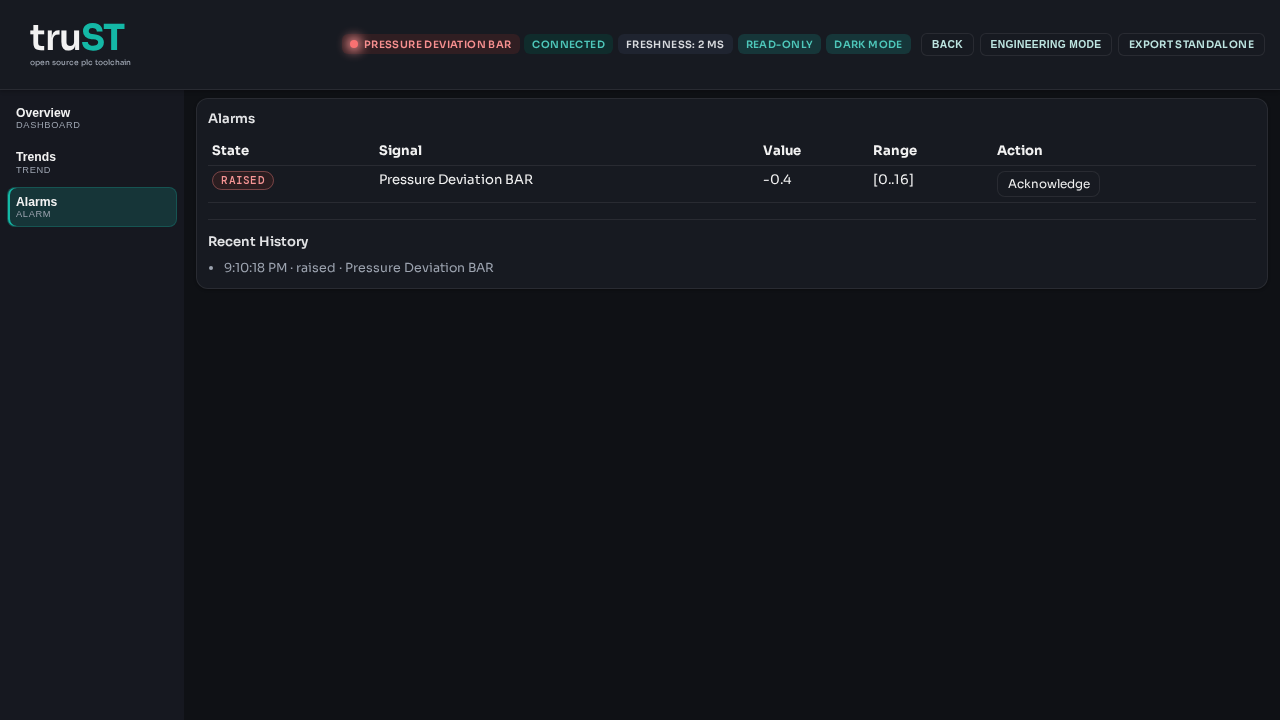
Figure: The Browser HMI alarm view gives operators the active alarm, process context, acknowledgement action, and recent history in one place.
Alarm Response Sequence
| Step | What to check | Record |
|---|---|---|
| Open Alarms | Identify the active alarm, area, and timestamp | alarm text or code |
| Check process state | Compare the alarm against the HMI graphic, trend, or nearby equipment | observed equipment condition |
| Acknowledge only when seen | Confirm an operator has read and accepted responsibility for the next action | operator initials and time |
| Follow the site procedure | Silence, hold, or escalate according to the runbook | action taken |
What Acknowledge Means
- Acknowledge records that an operator saw the alarm.
- Acknowledge does not prove the fault is cleared.
- The alarm remains active until the runtime condition returns to normal.
Escalate Immediately When
- the alarm blocks a safety function
- the process condition is still present after acknowledge
- the same alarm reappears repeatedly in one shift
- the alarm text and the observed equipment state do not match
Escalation Fields
Fill these with site-specific details before go-live.
| Role | Contact | Phone | Use when |
|---|---|---|---|
| Supervisor | fill in | fill in | production impact or unclear process state |
| Technician on call | fill in | fill in | alarm persists after acknowledge or field check |
| Safety contact | fill in | fill in | alarm affects a safety boundary or lockout condition |
Shift Handover Record
Record at least:
- the alarm name or code
- when it started
- whether it was acknowledged
- whether the condition cleared
- what was handed over to the next operator or technician