Statechart
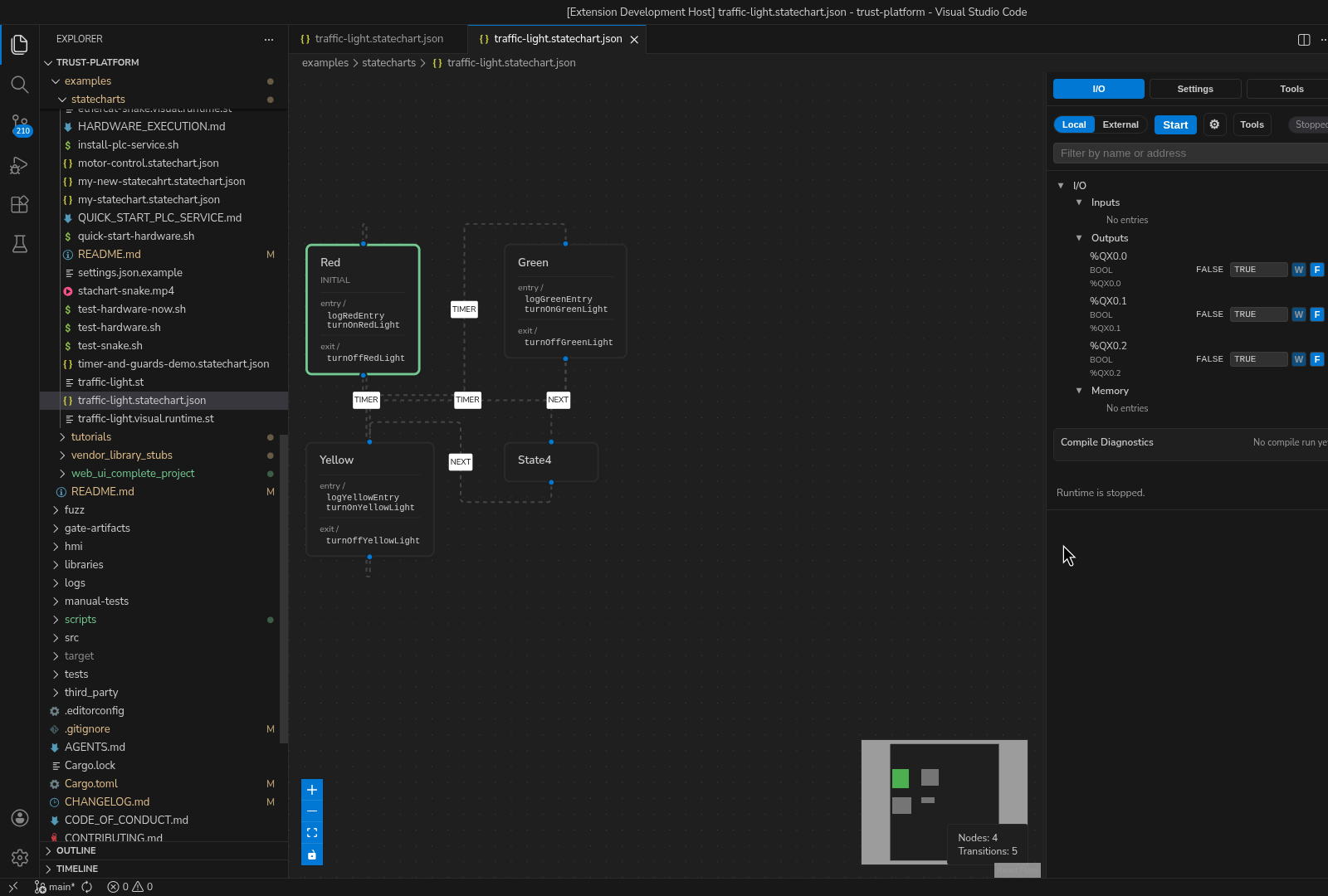
Figure: A traffic-light statechart with named states (Red, Green,
Yellow, and Stand) and explicit transitions visible on the editor canvas.
What it gives you
- state-centric modeling
- action/event style authoring
- the same runtime, debug, and test surfaces as the rest of truST
Five-step quickstart
- Open
examples/statecharts/traffic-light.statechart.json. - Let truST open the visual editor automatically.
- Inspect states and transitions first before editing actions.
- Save and review the companion ST/output behavior.
- Run the project and drive events or inputs through the runtime/debug surfaces.
Best for
- operating modes
- fault handling and recovery flows
- clear state ownership across larger behaviors
When not to use Statechart
- when the logic is mostly rung logic or I/O seal-ins
- when the sequence is best represented as SFC steps and transitions
- when a simple ST
CASEis easier to maintain than a graph
Common mistakes
- adding too many side effects in transitions instead of using state entry/exit cleanly
- treating state names as documentation only instead of execution boundaries
- skipping runtime validation after visual edits
Example folder
examples/statecharts