Deploy And Rollback
Core commands
trust-runtime deploy --project ./my-plc --root ./deploy-root
trust-runtime rollback --root ./deploy-root
deploy writes a versioned deployment entry. rollback moves the active
deployment pointer back to the previous version.
Each successful deploy writes its change summary to
deployments/<label>.txt and copies that summary to deployments/last.txt.
The summary names the newly deployed bundle and the prior bundle and reports
changes to runtime configuration, I/O configuration, bytecode, and sources.
last.txt records the last deploy operation; it is not the active pointer and
is not rewritten by rollback. Inspect the current symlink to identify the
active bundle.
Deployment labels are single names, not paths; values containing path
separators, ./.., or absolute paths are rejected. The deployment root keeps
the newly active bundle and the immediately previous bundle. This remains true
when --root is relative, and a dangling current or previous symlink does
not block replacement when that pointer is updated.
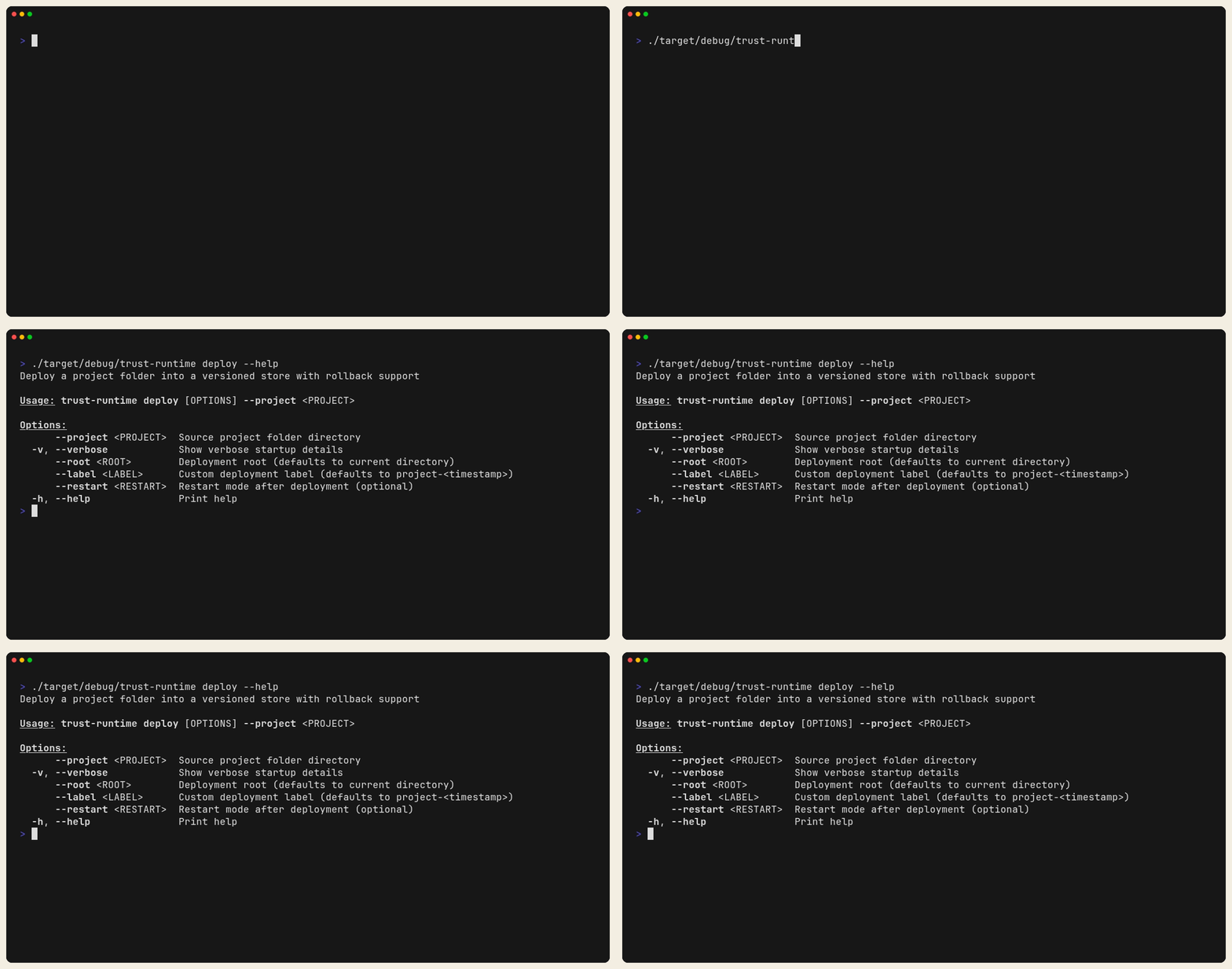
Figure: The deploy command surface and required flags. Use this to confirm
the exact CLI contract before you automate rollout on a target root.
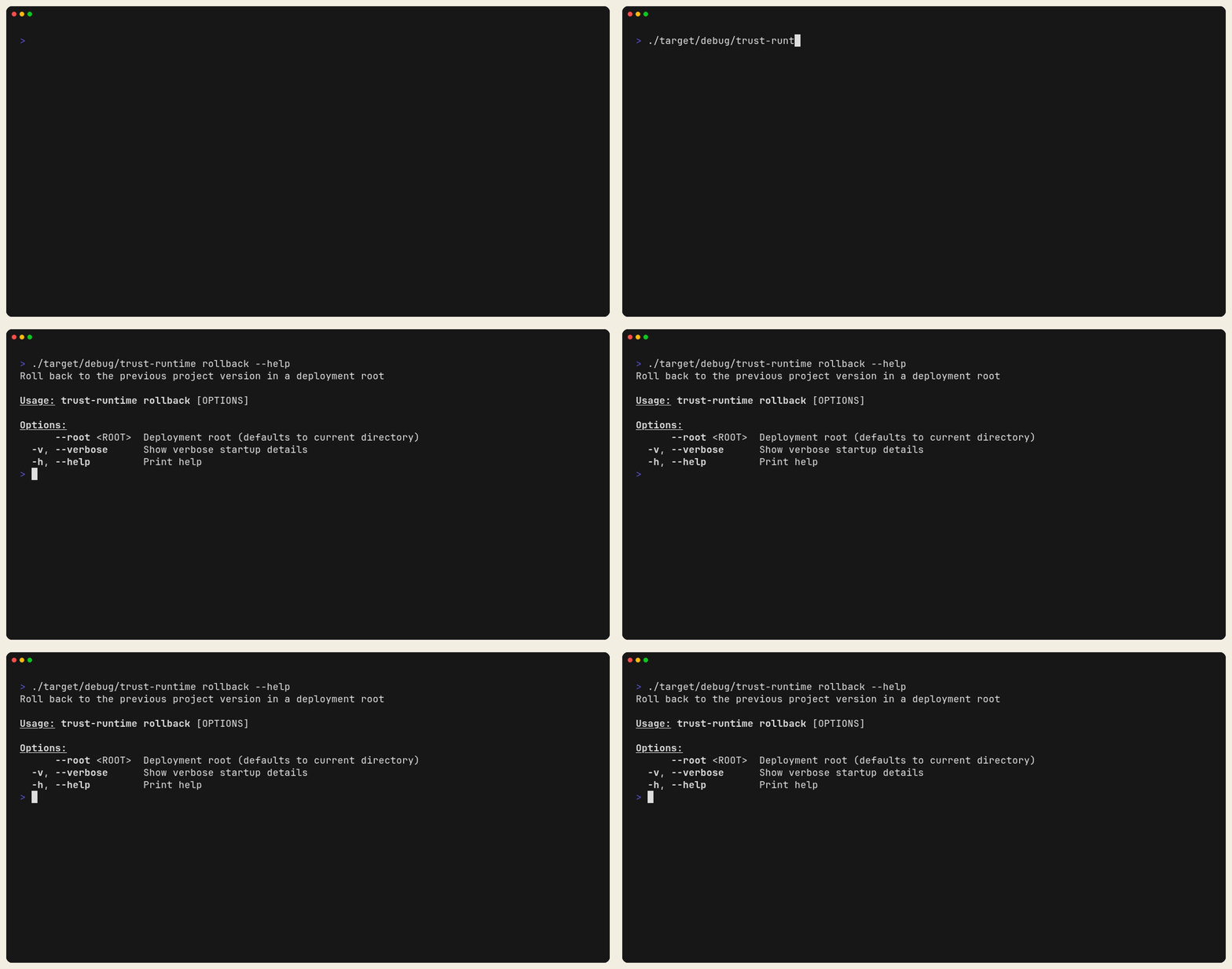
Figure: The rollback command surface. Keep this close to the deployment root
you operate so you know which flag set the runtime expects.
Pre-deploy checklist
- build succeeded
- validate succeeded
- the target config and safe-state policy were reviewed
- the rollback root has at least one known-good prior deployment
Good rollback scenarios
- bad bytecode bundle
- correct logic but wrong runtime config
- rollout succeeded technically but operator behavior regressed
Worked tutorial
This tutorial teaches the operational release flow for PLC projects:
- build and validate a known-good revision,
- deploy it to a versioned deployment root,
- deploy a newer revision,
- roll back safely.
Why this tutorial exists
Development success is not enough for production. You need a predictable way to promote and revert versions when behavior changes or incidents happen.
What you will learn
- when to use
build,validate,deploy, androllback - how to keep deploy artifacts in a dedicated root
- how to verify which revision is currently active
Prerequisites
- complete Tutorial 13 first
trust-runtimeavailable onPATH
Step 1: Prepare a dedicated deploy playground
Why: never test deploy/rollback in your main project folder. Keep operations state separate so history and rollback targets are explicit.
rm -rf /tmp/trust-tutorial-14-project /tmp/trust-tutorial-14-deploy
cp -R /tmp/trust-tutorial-13 /tmp/trust-tutorial-14-project
mkdir -p /tmp/trust-tutorial-14-deploy
cd /tmp/trust-tutorial-14-project
Expected result:
- working copy at /tmp/trust-tutorial-14-project
- deploy root at /tmp/trust-tutorial-14-deploy
Step 2: Build and validate revision A
Why: deployment should only use validated artifacts. This is your preflight gate.
trust-runtime build --project . --sources src
trust-runtime validate --project .
Expected result: - build and validation pass
Step 3: Deploy revision A
Why: deploy creates a managed deployment record instead of ad hoc file copies.
trust-runtime deploy --project . --root /tmp/trust-tutorial-14-deploy
Then inspect deployment summary:
cat /tmp/trust-tutorial-14-deploy/deployments/last.txt
Expected result: - summary file exists - summary names the newly deployed bundle
Step 4: Run active deployment once
Why: post-deploy smoke test proves the deployed artifact is runnable.
Resolve the authoritative active deployment pointer:
readlink -f /tmp/trust-tutorial-14-deploy/current
trust-runtime --project "$(readlink -f /tmp/trust-tutorial-14-deploy/current)"
Expected result: - runtime starts normally from deployed artifact
Step 5: Create revision B (intentional behavior change)
Why: rollback only matters when there is a meaningful delta between revisions.
Edit /tmp/trust-tutorial-14-project/src/Main.st:
LampOut := NOT StartCmd;
Rebuild and validate:
trust-runtime build --project . --sources src
trust-runtime validate --project .
Expected result: - revision B compiles and validates
Step 6: Deploy revision B
Why: this simulates a normal upgrade path.
trust-runtime deploy --project . --root /tmp/trust-tutorial-14-deploy
cat /tmp/trust-tutorial-14-deploy/deployments/last.txt
Expected result:
- last.txt now references the newer deployment
Step 7: Roll back
Why: rollback is your safety action when the latest deployment misbehaves.
trust-runtime rollback --root /tmp/trust-tutorial-14-deploy
readlink -f /tmp/trust-tutorial-14-deploy/current
Expected result: - active deployment moves back to the previous known-good revision
Step 8: Verify rollback behavior
Why: command success alone is not enough; validate runtime behavior after rollback.
Run from the now-active deployment path and test %IX0.0 -> %QX0.0 logic.
- if revision A is active, output should match input
- if revision B is active, output should invert input
Operational rules to keep
- always
build+validatebefore deploy - keep deploy root outside source tree
- keep smoke-test checklist for each deployment
- practice rollback before commissioning, not during incident response
Common mistakes
- deploying directly from unvalidated edits
- mixing manual file copies with
trust-runtime deploy - running rollback without checking what is currently active
Completion checklist
- [ ] revision A deployed and verified
- [ ] revision B deployed and verified
- [ ] rollback executed and verified
- [ ] active deployment confirmed via the
currentsymlink