Program In Browser IDE
Truth First
- Browser IDE lives at
/ide - Browser HMI lives at
/hmi - Browser IDE is served by
trust-runtime ide serve - Browser HMI is served by a running project/runtime with web enabled
- default runtime web binding is often loopback-only
- if the URL must be reachable from another host, expose it safely: Networking And Remote Access
For Administrators
Start the standalone Browser IDE:
trust-runtime ide serve --project examples/tutorials/12_hmi_pid_process_dashboard
Then start the shipped tutorial runtime for /hmi:
trust-runtime run --project examples/tutorials/12_hmi_pid_process_dashboard
Or from the repo root:
cargo run -p trust-runtime --bin trust-runtime -- ide serve \
  --project examples/tutorials/12_hmi_pid_process_dashboard
cargo run -p trust-runtime --bin trust-runtime -- \
  run --project examples/tutorials/12_hmi_pid_process_dashboard
This gives you:
- Browser IDE on
http://127.0.0.1:18080/ide - Browser HMI on
http://127.0.0.1:18082/hmi
For Browser Users
Open:
http://127.0.0.1:18080/idehttp://127.0.0.1:18082/hmi
Then:
- open
src/main.st - run build
- run validate
- inspect the project tree
- jump to
/hmifor operator-side confirmation
What Success Looks Like
/ideloads the project and lets you browse files- build and validate complete without errors
/hmishows overview, process, trends, and alarms for the same project
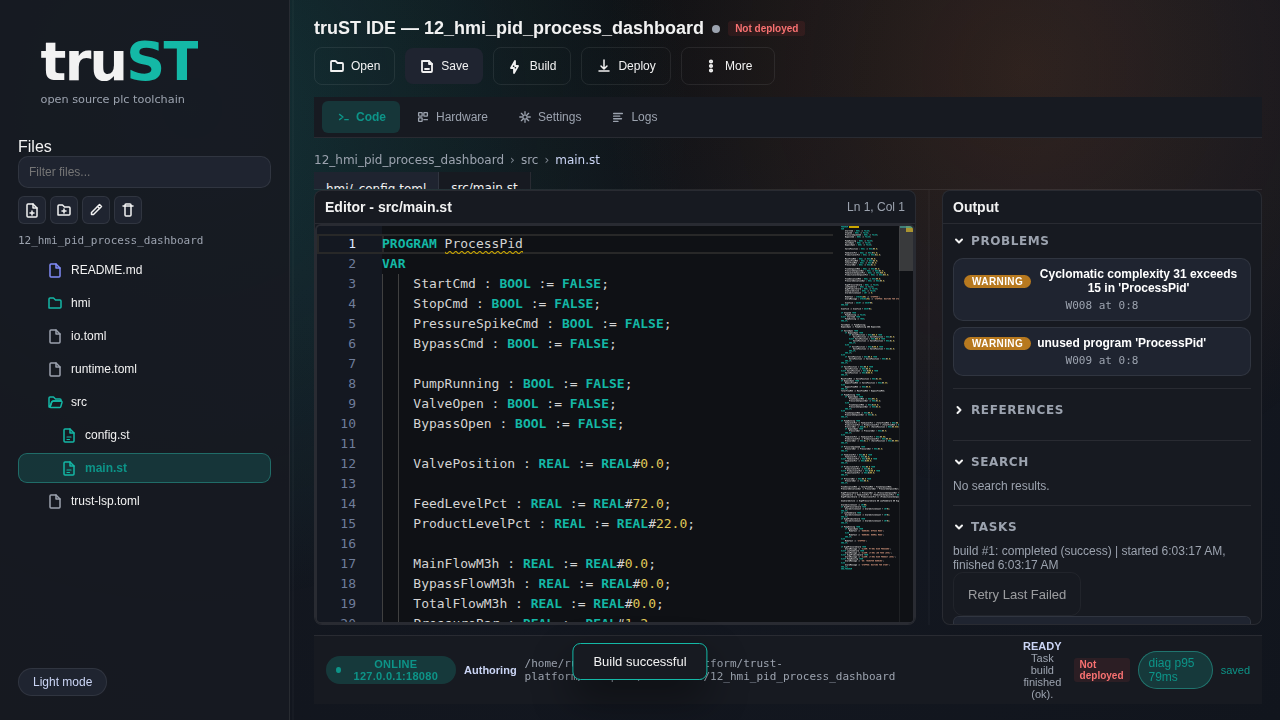
Figure: The browser IDE with the shipped tutorial project already loaded.
Open the project tree from here, then open src/main.st before you build or
validate.
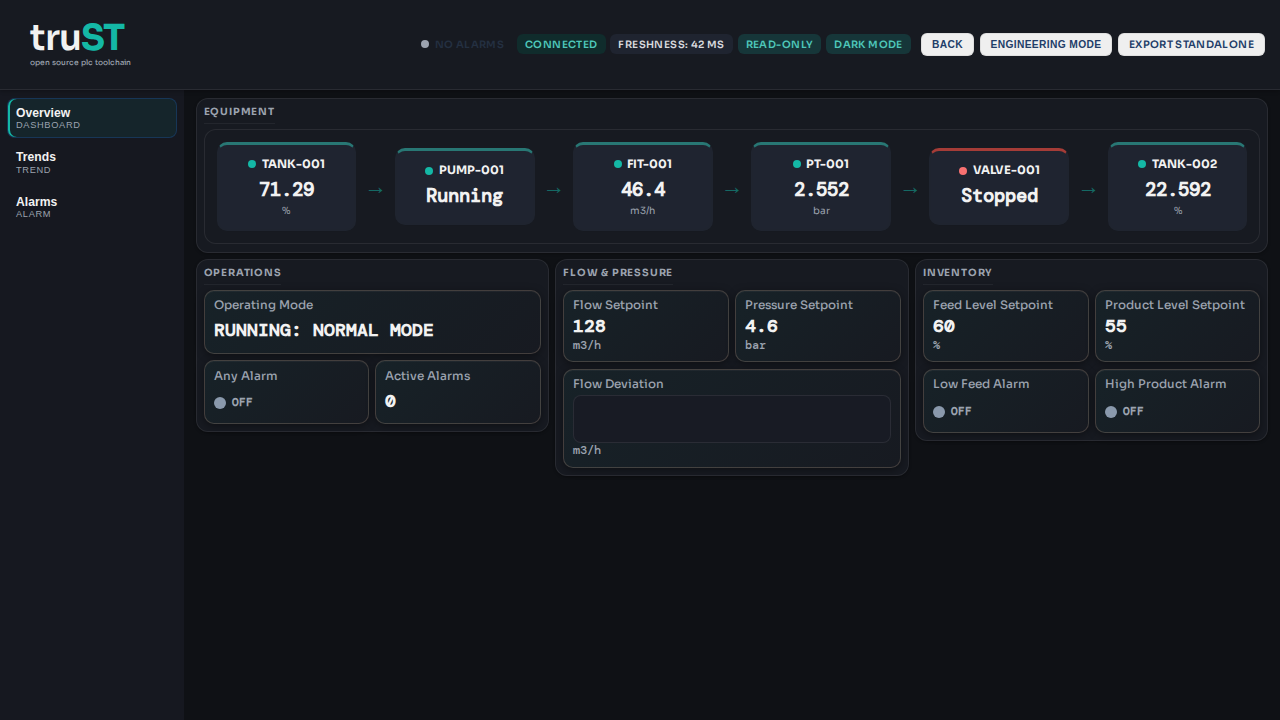
Figure: The matching browser HMI for the same project. Use it as the operator-side confirmation after the build succeeds.
If It Fails
- URL works on the host but not another machine: check loopback-only binding and Networking And Remote Access
/ideloads but you cannot edit: confirm the runtime/session mode/hmiloads but values stay stale: go to HMI And Web UI and Runtime UI And Control