Blockly
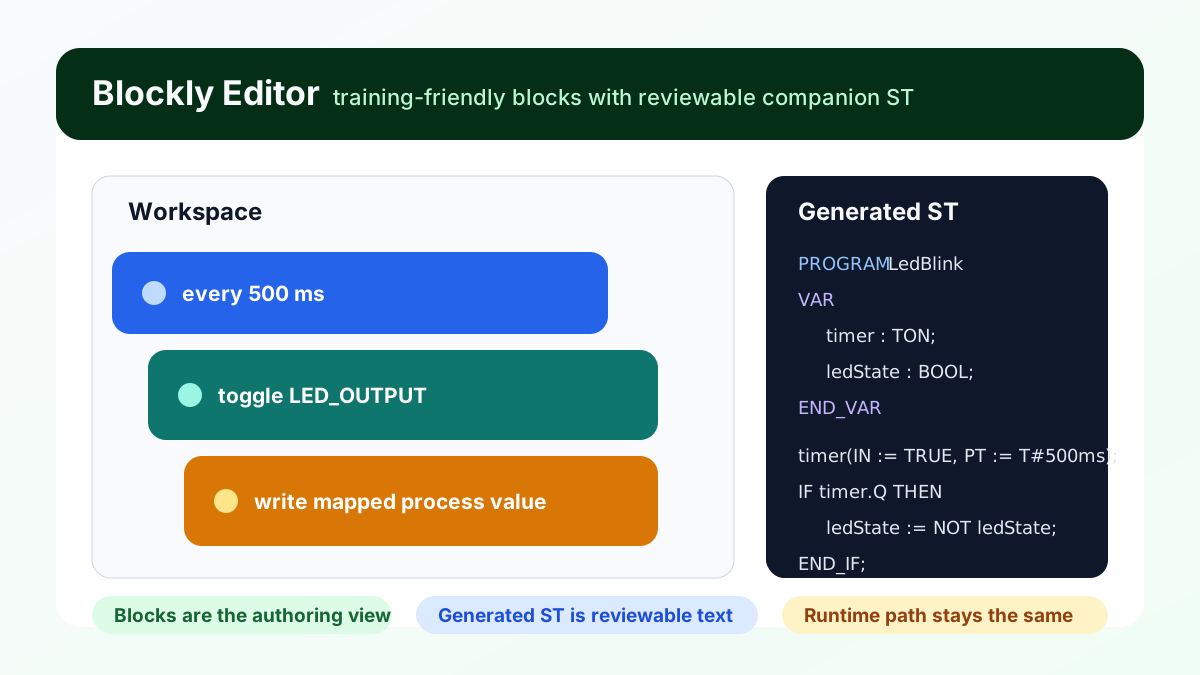
Figure: A block-based LED blink workflow next to the generated companion ST. Blockly is an authoring surface over reviewable project text, not a separate runtime model.
What it gives you
- block-based authoring
- generated companion ST
- the same runtime, debug, and test loop as hand-written ST
Five-step quickstart
- Open
examples/blockly/simple-led-blink.blockly.json. - Let truST open the Blockly editor automatically.
- Drag or inspect blocks in the workspace.
- Use the generated-code view to understand the ST companion.
- Save, build, and run as a normal truST project.
Best for
- training and onboarding
- quick demos and workshops
- simple logic where visual blocks are easier to discuss than ST
When not to use Blockly
- when the team already thinks fluently in ST and the block view adds no clarity
- when large stateful or sequence-heavy logic would be better as Statechart or SFC
- when exact ST structure is the primary artifact you want reviewed
Common mistakes
- treating generated ST as optional instead of part of the project output
- building very large workflows that become harder to scan than ST
- skipping address/mapping review when blocks read or write process values
Example folder
examples/blockly