

What Is truST?
truST is an open IEC 61131-3 programming and runtime workspace for PLC-style control projects.
One project can be edited in VS Code or the Browser IDE, built and validated
from the CLI, run by trust-runtime, viewed through Browser HMI, automated
through the Agent API, and connected through runtime/plant communication
surfaces.
Go To
| Need | Open |
|---|---|
| install the tools | Install |
| program a PLC project | Program |
| run, deploy, or operate a system | Run |
| check hardware and target support | Hardware |
| look up commands, config, diagnostics, APIs, or specs | Reference |
Product Model
| Part | Role |
|---|---|
| VS Code extension | ST diagnostics, navigation, formatting, visual editors, runtime panel, debugger, AI tools |
| Browser IDE | runtime-hosted editing surface at /ide |
| Browser HMI | operator/runtime pages at /hmi |
trust-runtime |
execution engine, CLI workflows, runtime control, web UI |
| Agent API | JSON-RPC automation for scripts, CI, and agent loops |
| truST Mesh / protocols | runtime-to-runtime and plant communication paths |
Core Idea
truST keeps the important state in reviewable project files:
- ST source
runtime.tomlio.tomlhmi/- generated bundles such as
program.stbc - interchange artifacts such as PLCopen XML
That is the point of One Project, Every Surface: the editor, runtime, HMI, automation, AI tools, and communication surfaces do not become separate project models.
Proof
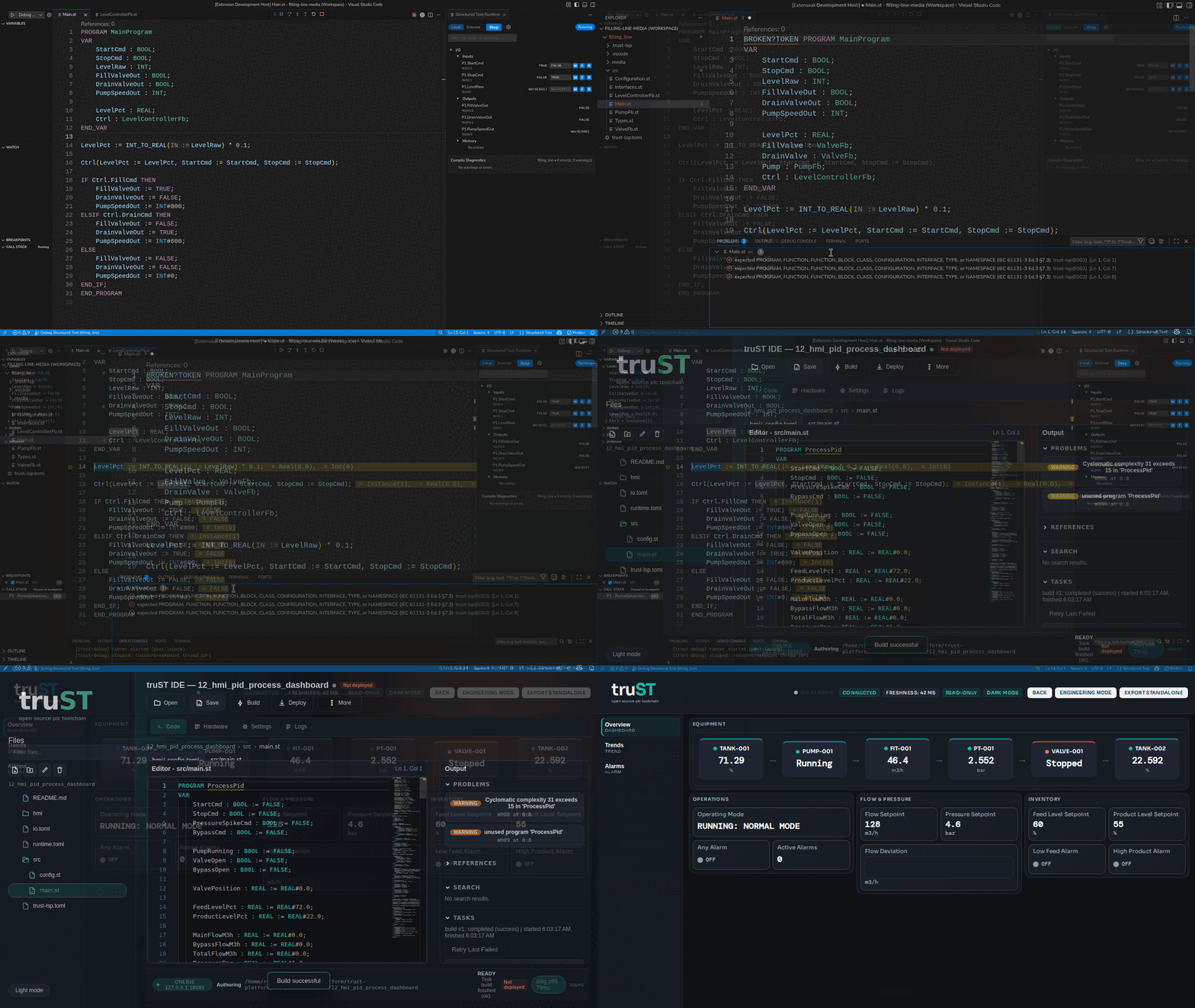
A real-product tour of the same project across desktop VS Code, diagnostics, debugging, Browser IDE, and Browser HMI.
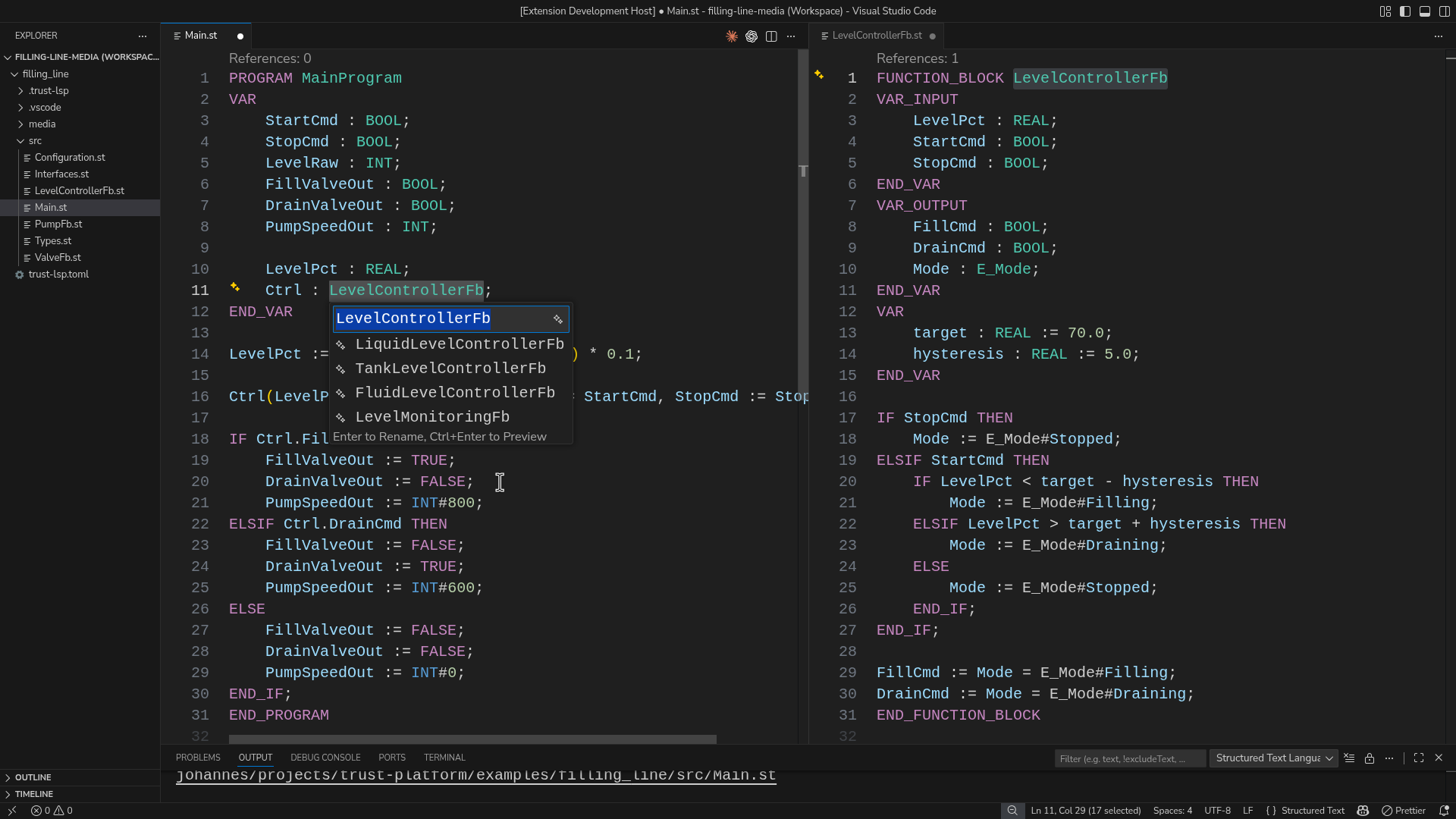
Rename a Structured Text symbol across files and preview the affected definition before applying the change.
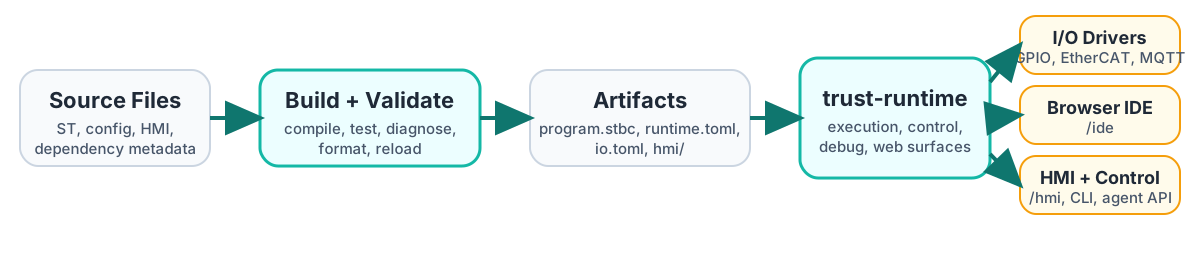
Source files move through build and validation into runtime artifacts, then
into trust-runtime, /ide, and /hmi.